
On this page
Highlights
- Connectivity: USB.
- Genuine Brother SC-2000USB: drivers, manuals and updates on our Brother support page.
- 17 genuine Brother consumables, maintenance parts and accessories listed on this page.
Specifications
| Manufacturer reference | SC-2000USB |
|---|---|
| EAN code | 4977766655439 |
| Type | Stamp creator |
| Resolution | 600 x 600 DPI |
| USB | Yes |
| Wi-Fi | No |
| Ethernet | No |
| Serial port | 1 |
| Display | LCD |
| Dimensions (W x D x H) | 179 x 263 x 100 mm |
| Weight | 10.3 k g |
| Origin | Japan |
Consumables, maintenance parts and accessories

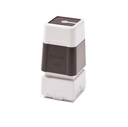

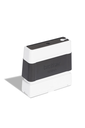
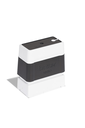
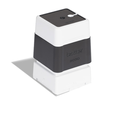
and 11 other compatible products
Use
Brother SC-2000USB stamp creator (Stamp Creator Pro) for stamp makers, print shops, stationers and in-house departments: it produces pre-inked stamps from a file in a few minutes, without engraving or separate ink pad.
Use cases: company and association stamps, administrative marks ("Paid", "Received on", "Certified copy"), signatures, logos and monograms, addresses. The design is composed in Stampcreator Express (Windows), printed on a PRD1 kit film at 600 dpi, then fixed on the PR stamp by the xenon flash; eleven sizes from 10 x 60 to 40 x 90 mm and four ink colors (black, blue, green, red). USB and serial connection; supplied with five stamps, a USB cable, a serial cable, a correction pen and a cleaning pen. Consumables (stamps, refill inks, film and ribbon kit, lamp) are listed above.
Good to know: the SC-2000USB is driven from a Windows PC over USB, without a design screen. For classic labeling, see Brother label printers.
Frequently asked questions
Which consumables does the SC-2000USB use?
PR pre-inked stamps (11 sizes, 4 colors), PRINK refill inks, the PRD1 film and ribbon kit and the PR-2000 xenon lamp, listed above.
Can the SC-2000USB be connected to a network?
Yes: USB.
Where can I find drivers and the manual?
On our Brother support page: drivers, user guide, software and FAQ for the SC-2000USB, by country.