


On this page
- Highlights
- Specifications
- Consumables, maintenance parts and accessories
- Usage
- Frequently asked questions
Highlights
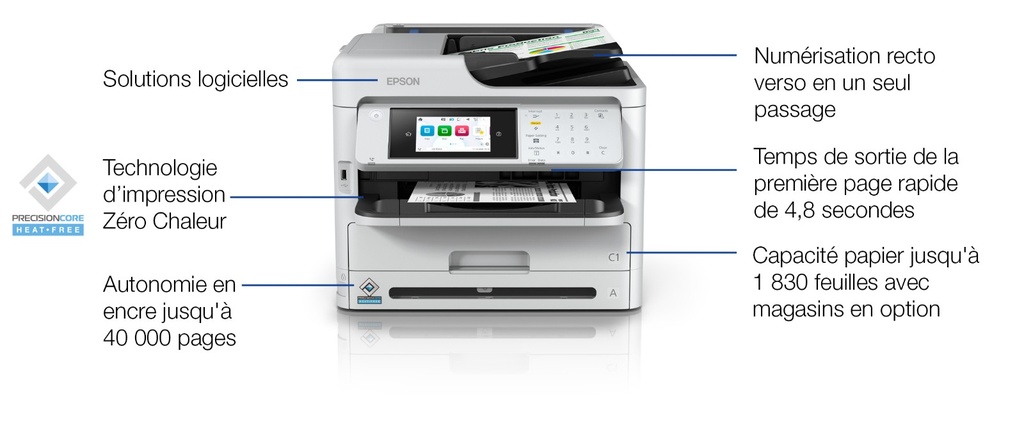
- More sustainable printing Due to fewer supplies, less wastage and lower power consumption³
- Save money Low Total Cost of Ownership (TCO) and energy saving
- High productivity, low intervention Fast FPOT, single-pass duplex scan and high ink yield supplies¹
- Built for business Smooth system integration and security solutions with 1,830 max paper capacity
Specifications
| Manufacturer reference | WF-M5899DWF (C11CK76401) |
|---|---|
| EAN code | 8715946716817 |
| Print resolution black | 1200 x 2400 DPI |
| Print technology | Inkjet |
| Printing | Mono printing |
| Duplex printing | Yes |
| Maximum resolution | 1200 x 2400 DPI |
| Print speed (black, normal quality, A4/US Letter) | 34 ppm |
| Print speed (black, draft quality, A4/US Letter) | 34 ppm |
| Print speed (ISO/IEC 24734) black | 25 ppm |
| Duplex copying | No |
| Copying | Mono copying |
| Maximum copy resolution | 600 x 1200 DPI |
| Maximum number of copies | 999 copies |
| Duplex scanning | Yes |
| Scanning | Colour scanning |
| Optical scanning resolution | 1200 x 2400 DPI |
| Maximum scan area | 216 x 297 mm |
| Scan technology | CIS |
| Scan to | E-mail, FTP, Network folder, USB |
| Image formats supported | BMP, JPEG, MTIFF, PNG, TIFF |
| Faxing | Colour faxing |
| Fax transmission speed | 3 sec/page |
| Fax memory | 550 pages |
| Manufacturer warranty | Extendable with Epson CoverPlus packs (base term being confirmed with Epson) |
Consumables, maintenance parts and accessories
Consumables and parts referenced for this model:
 | C13T12D140 WF-M53xx/58xx Series Ink Pack L Black |
 | C13T12E140 WF M53xx/58xx Series Ink Cart XL Black |
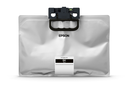 | C13T12F140 WF M53xx/58xx Series Ink Cart XXL Black |
Options referenced for this model:
 | C12C937901 500-Sheet Paper Cassette Unit for 58xx/53xx |
Usage
The WF-M5899DWF is built for teams looking for a reliable business device: 34 pages per minute; Epson's Heat-Free inkjet technology limits wearing parts and power consumption, keeping running costs under control.
Day to day: printing documents and files, scanning to the network or email, management from the device screen; no warm-up time means a fast first page.
Good to know: the consumables and options listed above are those referenced by Epson for this model; for higher volumes or speeds, see the other models of the range in the Epson category.
Frequently asked questions
Which consumables does this model use?
The genuine Epson consumables referenced for this model are listed in the section above with their yield; the machine itself signals required replacements.
Does it print duplex and over the network?
The specifications table above details the duplex features and exact connectivity of this model (USB, Ethernet, Wi-Fi as applicable), as well as supported mobile printing.
Where can I find drivers and the manual?
On our Epson support page: Windows and macOS drivers, user guide and software for this model.