

On this page
- Why choose the genuine HP 731 printhead
- Matching inks
- Printers compatible with the P2V27A
- Lifetime
- Installation and maintenance
- Use and tips
- Specifications
- Frequently asked questions
Why choose the genuine HP 731 printhead
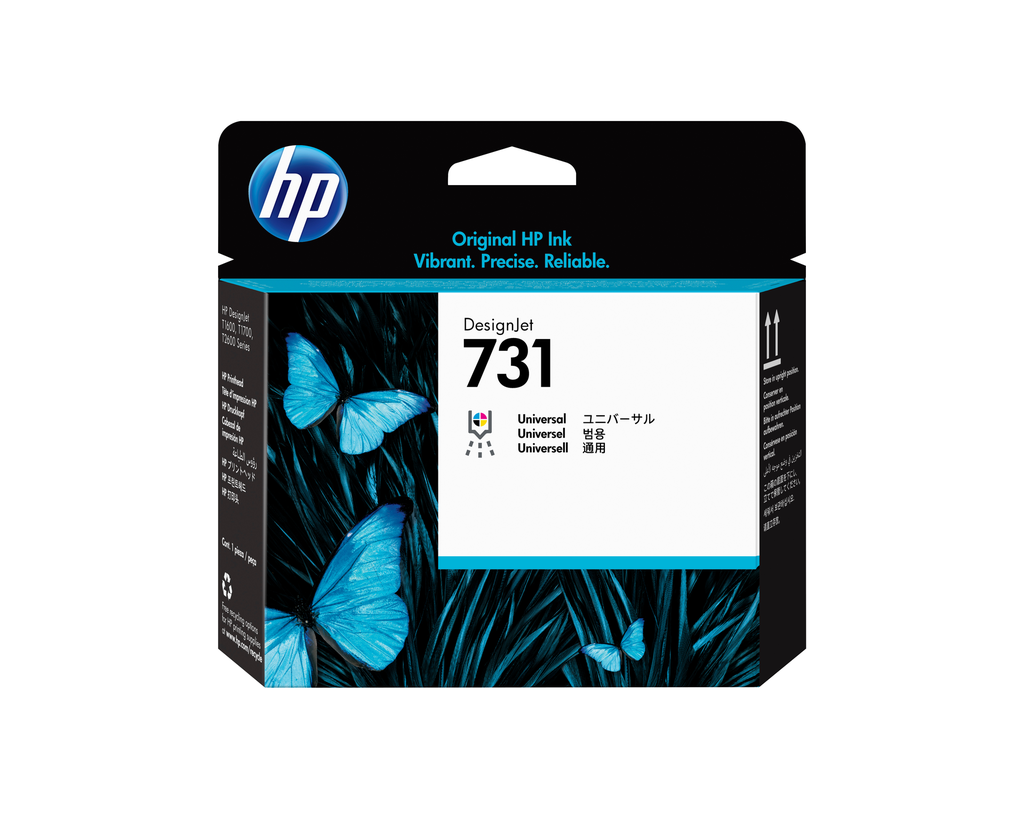
Genuine HP 731 printhead (P2V27A): it fires the HP 731 ink onto the media; a genuine printhead guarantees the alignment, drop size and lifetime HP designed. Rated for several sets of cartridges; replace when the plotter asks or when lines are still missing after cleaning.
Matching inks
Use with genuine HP 731 inks. The printhead is replaced without tools; the plotter aligns it automatically.
Printers compatible with the P2V27A
The P2V27A is compatible with 11 HP models (manufacturer list):
- HP DesignJet T1700dr 44 pouces (W6B56A)
- HP DesignJet T1700 44 pouces (W6B55B)
- HP DesignJet T1700 44 pouces (W6B55A)
- HP DesignJet PostScript T1700dr 44 pouces (1VD88S)
- HP DesignJet PostScript T1700dr 44 pouces (1VD88M)
- HP DesignJet PostScript T1700dr 44 pouces (1VD88F)
- HP DesignJet PostScript T1700dr 44 pouces (1VD88A)
- HP DesignJet PostScript T1700 44 pouces (1VD87S)
- HP DesignJet PostScript T1700 44 pouces (1VD87F)
- HP DesignJet PostScript T1700 44 pouces (1VD87A)
- HP DesignJet SD Pro 2 44-in MFP (1GY94M)
The series listed include all their variants (24, 36 or 44 inch, PostScript, multifunction); check the HP number of your current cartridges on the plotter's display.
Lifetime
Lifetime given by the printer's counter.
Installation and maintenance
Replacement guided by the plotter menu (Ink > Replace printheads): the carriage moves into position, unlock the cover, lift the old printhead out by its handle, remove the protective caps from the new one and clip it in; the plotter runs the automatic alignment. Do not touch contacts or nozzles.
Use and tips
A printhead outlasts several sets of cartridges; replace it when the plotter says so (status message or diagnostic report) or when lines are still missing after two cleanings.
Keep the printhead sealed in its packaging until installation; do not touch nozzles or contacts. After replacement, let the plotter finish alignment and color calibration.
Specifications
| Manufacturer reference | P2V27A |
|---|---|
| HP number | 731 |
| EAN code | 190781037712 |
| Type | Printhead |
| Color | multicolor |
| Weight | 0.08 kg |
| Dimensions (W x D x H) | 28 x 143 x 132 mm |
| Origin | Japan |
| Compatible printers | 11 models |
Frequently asked questions
Is the P2V27A compatible with my printer?
Yes if it appears in the list above (11 HP models). If in doubt, send us the exact model (e.g. "HP DesignJet T1700dr 44 pouces") and we confirm.
Genuine or compatible cartridge?
We sell genuine HP consumables only: yield guaranteed by the ISO standard, recognized by the printer, HP warranty preserved and free take-back for recycling.
Where can I find the safety data sheet and the manual?
On our HP support page: safety data sheet for the P2V27A, drivers, manuals and FAQ for your printer, by country.