
On this page
- Why choose the genuine HP 220X toner cartridge
- Contract version
- 220X or 220A: which capacity?
- Printers compatible with the W2153XC
- Lifetime
- Installation and maintenance
- Use and tips
- Specifications
- Related products
- Frequently asked questions
Why choose the genuine HP 220X toner cartridge
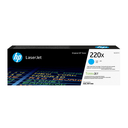
The W2153XC is the high yield magenta cartridge of the HP 220 series. All-in-one cartridge: toner, imaging drum and developer are replaced together, so print quality is like new at every change, with no separate drum to replace. Genuine HP toner powder matched to the fuser and paper of these printers: sharp text, even solids, no "cartridge not recognized" message. Colors stay consistent from one cartridge to the next.
Contract version
The W2153XC is the contract version of the W2153X: an identical cartridge, sold in plain packaging under HP contractual programs (managed print services, fleets under contract). Same toner, same yield and same print quality as the standard version; it is not eligible for HP consumer promotions. For a regular single purchase, see the W2203X toner.
220X or 220A: which capacity?
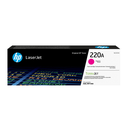
The W2153XC is the high yield version (5,500 pages) of the W2203A (1,800 pages): same cartridge, same printers, more toner. Above about a hundred pages a month it is the most economical choice per page.
Printers compatible with the W2153XC
Check compatibility on your printer's page.
Check the exact reference of your printer (label at the back or Information menu); suffixes (dn, dw, fdw, n) are variants of the same series and use the same consumables.
Lifetime
Lifetime given by the printer's counter.
Installation and maintenance
Tool-free replacement: open the cover, remove the used cartridge, take the new one out of its bag, rock it gently to distribute the toner, pull the protective tab if present, then insert until it clicks. The printer recognizes the cartridge and resets the counter. Used HP cartridges are returned free of charge through HP Planet Partners.
Use and tips
Part rated for the lifetime indicated by the printer's maintenance counter; order as soon as the "Maintenance kit very low" message appears to avoid downtime.
Keep the part in its packaging until the intervention. After installation, reset the counter in the printer's Maintenance menu; the procedure is in the user guide (support page).
Specifications
| Manufacturer reference | W2153XC |
|---|---|
| HP number | 220X |
| EAN code | 195122214166 |
| Type | Toner cartridge |
| Color | magenta |
| Capacity | High yield (XL) |
| Origin | Japan |
| Compatible printers | see above |
Related products


Frequently asked questions
Is the W2153XC compatible with my printer?
It fits the printers. If in doubt, send us the exact model and we confirm.
What is the difference between 220X and 220A?
Same cartridge, same printer: the 220A holds more toner (1,800 pages vs ) and costs less per page.
Where can I find the safety data sheet and the manual?
On our HP support page: safety data sheet for the W2153XC, drivers, manuals and FAQ for your printer, by country.