

On this page
- Why choose the genuine Brother PR1060E6P stamp
- Which stamp size?
- Devices compatible with the PR1060E6P
- Ink and service life
- Creating the stamp
- Usage and advice
- Specifications
- Related products
- Frequently asked questions
Why choose the genuine Brother PR1060E6P stamp
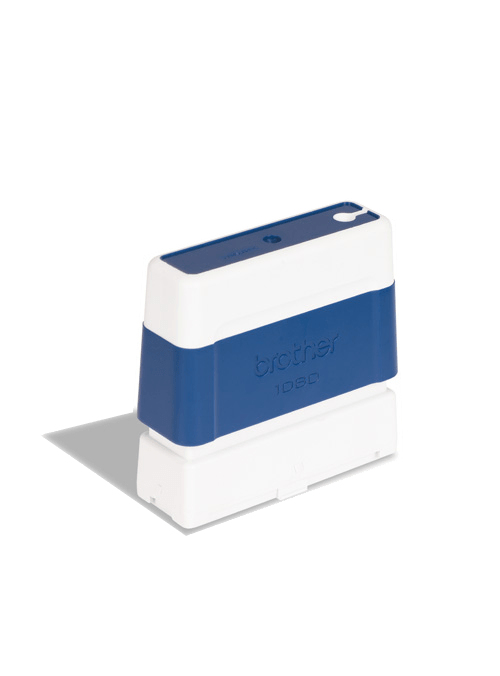
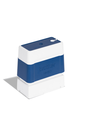
The PR1060E6P is a genuine Brother pre-inked stamp, 10 x 60 mm, blue ink. It is designed for the SC-2000USB Stamp Creator: the machine prints the design on a film (PRD1 kit), then transfers the image onto the stamp face by xenon flash exposure. The result is a self-inking stamp, sharp at 600 dpi, with no separate pad; the ink reserve in the stamp body is refilled with the PRINKE bottle of the same color. Genuine stamps guarantee the exact size expected by the machine and a porosity suited to the flash.
Which stamp size?
Brother offers eleven imprint sizes, each in black, blue, green and red: 10 x 60, 12 x 12, 14 x 38, 18 x 50, 20 x 20, 22 x 60, 27 x 70, 30 x 30, 34 x 58, 40 x 40 and 40 x 90 mm. Choose the size by content: one line of text (short address, "Paid", date) fits in 10 x 60 or 14 x 38 mm; a company stamp with logo needs 34 x 58 or 40 x 90 mm; square sizes suit logos and monograms. Same size in the other colors: PR1060B6P (black), PR1060G6P (green), PR1060R6P (red). Same color in the other sizes: PR1212E6P (12 x 12 mm), PR2020E6P (20 x 20 mm), PR1438E6P (14 x 38 mm), PR1850E6P (18 x 50 mm), PR3030E6P (30 x 30 mm), PR2260E6P (22 x 60 mm), PR4040E6P (40 x 40 mm), PR2770E6P (27 x 70 mm), PR3458E6P (34 x 58 mm), PR4090E6P (40 x 90 mm).
Devices compatible with the PR1060E6P
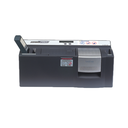
The PR1060E6P is intended for the following Brother stamp creator:
- SC-2000USB (Stamp Creator Pro)
- SC-2000 (previous generation)
The stamp is not used on its own: the design is created and fixed by the machine with the Stampcreator Express software (Windows).
Ink and service life
The stamp comes pre-inked: the internal reserve gives several thousand impressions before refilling, depending on the design area and pressure. When the imprint fades, a few drops of the PRINKE bottle (blue) on the back of the stamp are enough to carry on. The engraved design is permanent: one stamp serves one creation.
Creating the stamp
In Stampcreator Express, compose the design (text, logo, signature, image) at the stamp size; the SC-2000USB prints the film with the PRD1 kit ink ribbon, then the stamp is placed in the exposure slot with the film and the xenon flash fixes the image. Remove the film, fit the cap: the stamp can be used immediately. A cap and a handle are supplied with each stamp.
Usage and advice
The PR1060E6P is for stamp makers, print shops, administrative departments and companies that create their stamps on demand: company stamps, accounting marks ("Paid", "Received on"), signatures, addresses, color logos. The 10 x 60 mm size suits one line of text or a small mark.
Tips: cap the stamp after use to avoid drying, refill only with PRINKE ink of the same color (inks do not mix) and keep blank stamps in their packaging, away from heat and light. The pack of 6 lets you create six different stamps or an identical series.
Specifications
| Manufacturer part number | PR1060E6P |
|---|---|
| EAN code | 4977766673280 |
| Type | Genuine Brother pre-inked stamp (OEM) |
| Imprint | 10 x 60 mm |
| Ink color | Blue |
| Refill | PRINKE bottle (blue) |
| Pack size | Pack of 6 stamps |
| Origin | Japan |
| Compatible devices | SC-2000USB, SC-2000 |
Related products


Frequently asked questions
Does the PR1060E6P work without a Stamp Creator?
No: the design is engraved by the flash of the SC-2000USB (or SC-2000). Without the machine the stamp stays blank.
How many impressions before refilling?
Several thousand depending on the design and pressure; when the imprint fades, refill with the PRINKE bottle.
Can the design of a stamp be changed?
No, the engraving is permanent; take a new stamp for a new design.
Why the pack of 6?
Brother sells PR stamps by 6 pieces; the price shown is for the pack.
Where can I find the safety data sheet (SDS) for the PRINKE ink?
On our Brother support page: safety data sheet for the inks and the SC-2000USB guide.