



On this page
Highlights
- Speed: 152 mm/sec.
- Connectivity: USB, Bluetooth.
Specifications
| Manufacturer reference | RJ-2030 |
|---|---|
| EAN code | 4977766768092 |
| Type | Mobile printer |
| Technology | Direct thermal |
| Maximum print width | 5.4 cm |
| Print speed | 152 mm/sec |
| Resolution | 203 x 203 DPI |
| USB | Yes |
| Bluetooth | Yes |
| Wi-Fi | No |
| Ethernet | No |
| Mobile systems | Android, iOS |
| Windows | Windows 10 Education, Windows 10 Education x64, Windows 10 Enterprise... |
| Battery | Lithium-Ion (Li-Ion) |
| Display | LCD |
| Built-in barcodes | AZTECCODE, CODABAR (NW-7), Code 128 (A/B/C), Code 39, Code 93, Data Matrix, EAN128... |
| Memory | 32 MB |
| Maximum roll diameter | 4 cm |
| IP rating | IP54 |
| Operating temperature | -10 - 50 °C |
| Dimensions (W x D x H) | 125 x 185 x 230 mm |
| Weight | 872 g |
| Origin | China |
Consumables, maintenance parts and accessories

Use
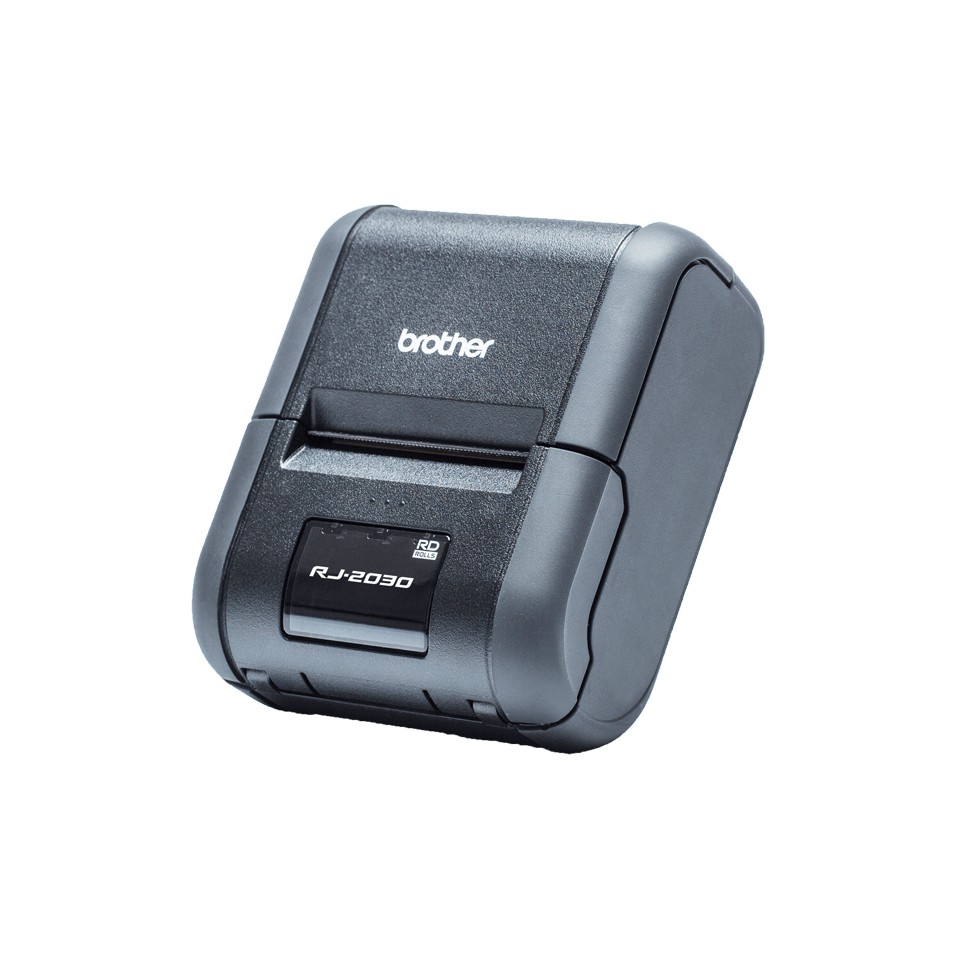
Brother RJ-2030 mobile printer for rounds, delivery, inventory and field sales: receipts and labels up to 54 mm, direct thermal, battery powered.
Use cases: delivery notes, tickets, shipping and price labels printed on site from a handheld or smartphone. Rugged housing against shocks and dust; worn on the belt or mounted in the vehicle. Connectivity: USB, Bluetooth. Software: P-touch Editor (PC and Mac) for layout, Excel list import and barcodes; Brother mobile app for printing from a smartphone. Consumables (tapes, rolls) are listed above; the price per label depends mostly on the media chosen.
The RJ-2030 is self-contained and complete for its category. For higher volumes or other options, see the RJ-2050 in the same series or Brother label printers.
Frequently asked questions
Which consumables does the RJ-2030 use?
See the list of compatible products above or the Brother manufacturer sheet.
Can the RJ-2030 be connected to a network?
Yes: USB, Bluetooth.
Where can I find drivers and the manual?
On our Brother support page: drivers, user guide, software and FAQ for the RJ-2030, by country.