
On this page
- Why choose the ThinPrint Client Fonction+
- Devices compatible with the ZBR8LSTPC005 license
- Activation
- Usage and advice
- Specifications
- Frequently asked questions
Why choose the ThinPrint Client Fonction+
ThinPrint Client is a Brother Fonction+: the function lets the device receive jobs directly from a ThinPrint server (remote desktop and virtualization environments), without a local print server. It is added to a compatible Brother device already in service, without extra hardware, and is managed from the device administration interface. Fonctions+ address the print security, document productivity and support needs of SMBs and IT departments.
Devices compatible with the ZBR8LSTPC005 license
The ThinPrint Client Fonction+ activates on the following 28 Brother models (Brother France catalog, June 2026):

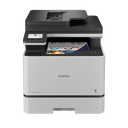

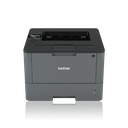
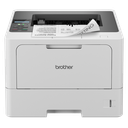
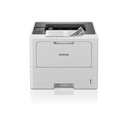

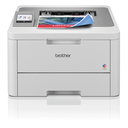
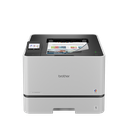
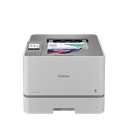


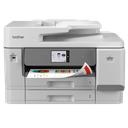


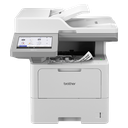
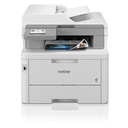

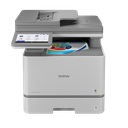
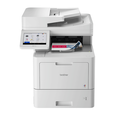
One license per device; check the exact reference and firmware version before buying.
Activation
After purchase you receive the license code by email. It is activated on the device with its serial number, from the web administration interface or the Brother management tool; the function is then available on the device screen or in the driver. No physical shipment: delivery is electronic.
Usage and advice
The ThinPrint Client Fonction+ is for companies that want more from their Brother fleet without replacing it: thinprint client built into the printer. Other Fonctions+ available: Barcode Utility (ZBR8LS48BAR), Custom UI (ZBR8LS33CUI), Secure Print+ (ZBR8LS36SPP), Secure Print Advanced (ZBR8LSSPA006), Barcode Print+ (ZBR8LSBPP004), Request Help (ZBR8LSRHS001), Remote Panel (ZBR8LSRPS003), Order Supplies (ZBR8LSOSS002).
Tips: note the device serial number before buying, keep the license code with the invoice, and check that the device is up to date. A license is tied to one device and cannot be transferred.
Specifications
| Manufacturer reference | ZBR8LSTPC005 |
|---|---|
| Type | Brother Fonction+ software license |
| Function | ThinPrint Client |
| Description | ThinPrint client built into the printer |
| Number of devices | 1 |
| Delivery | Electronic (license code) |
| Compatible devices | 28 Brother models |
Frequently asked questions
Does the ZBR8LSTPC005 license cover my device?
Yes if it is in the list above (DCP-L5510DW to MFC-L9670CDN). One license per device.
How is the license delivered?
By email, as a code to activate with the device serial number; no physical media.
Can the license be transferred to another device?
No, it is tied to the serial number of the device on which it is activated.
Where can I find the activation guide?
On our Brother support page, by entering your model: Fonctions+ guide and help for activating ThinPrint Client.